 Daiwong's Website
How to ACTUALLY transfer files between a Mac and Windows VM using UTM
Yeah I know this problem is very niche, but here's a guide to save you spending 10 hours tearing your hair out.
Why I am making this guide?

I needed a solution to have effective file sharing between my Mac machine and a Windows UTM virtual machine. The problem is, there is no ACTUAL guide out there that effectively solves the problem! Seriously!
You go onto Github and there are nerds out there arguing about setting up a “smb:// server” or a bridged network blah blah blah. But NO. That is TOO hard.
Instead of doing technology gymnastics from getting A to B. I would rather find a simple, smart and effective solution to my problem. Which I have resolved and would share here.
Why did I have to do this?
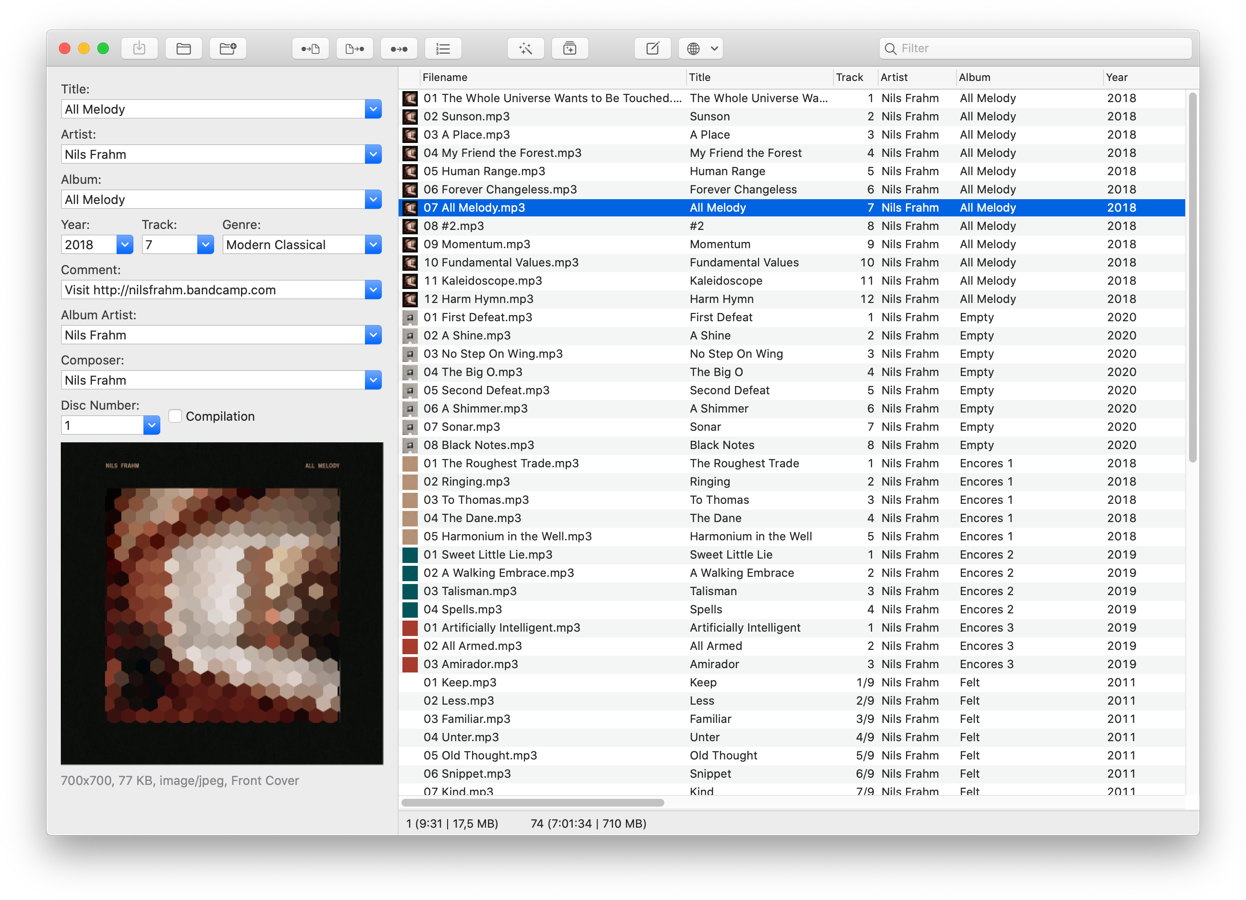
I use a software called MP3Tag to manage the metadata of my FLAC music files. This is completely free on Windows, whereas for some reason it costs £24.99 on Mac. I ain’t paying that.
It is harder to run FLAC on Mac’s as Apple prefers their own ALAC files. Also FLAC’s cannot be run on Apple Music.
I’ve also tried kid3 and other various audio editors and they have been overcomplicated and horrible./p>
Thus, a simpler solution is to just run an ARM version of Windows 11 in a virtual machine, and run the programs I need there and output back into the shared folder which communicates with my Mac.
Why did you not use WINE?

WINE is not really good on Mac, it’s not like Linux. Also I am using ARM not x86. I think it’s quite redundant loading WINE on top of Rosetta anyway.
Running Windows 11 ARM virtualised in a container will be good enough for me. Plus I can extend the use of my VM for other purposes.
The problem...
After downloading UTM and getting the Windows ISO off CrystalFetch, you set up the virtual machine and run the UTM drivers...
Everything is dandy...
BUT. The UTM file sharing feature is quite limited because it runs under windows WebDAV. After selecting a folder on your Mac to share onto the virtual machine it will use SPICE to create a local host to communicate between the systems using localhost.
The problem was that I couldn’t use MP3Tag to edit the tags of files within the shared folder.
Other workarounds such as dragging the files onto the Windows desktop were also blocked.
What I also had noticed is that some files that were smaller (16bit 44kHzFLAC’s) could be read and edited by MP3Tag, but other files that were (24bit 96-192kHz) could not only be edited by the software, but their details cannot be read and cannot be dragged onto the desktop.
So what WAS the issue???
Troubleshooting
After trying over a hundred times, I was given some hints towards the problem which helped me know WHY this was happening and how to fix it.
It would only start showing something vague like:
Cannot Copy FileName: Cannot read from the source file or disk
(Thanks Microsoft, very insightful)
But then, I finally got an error code. And error codes are obviously good to find solutions to problems.
It gave me the Windows Error of:
0x800700df
Along with saying “The file exceeds the limit allowed and cannot be saved”
So the problem was a software limit, which could be fixed within the VM.
According to here
“This issue occurs because a security change that was introduced in Windows XP SP2 affects the Web Distributed Authoring and Versioning (WebDAV) redirector. This security change makes sure that an unauthorized server cannot force a client computer into a denial of service attack. If you try to download a file that is larger than 50000000 bytes, the client computer interprets this download as a denial of service attack. Therefore, the download process stops.”Good to know that the computer is thinking that I am DDOSing myself...
The solution
Literally press (Ctrl+R) and type regedit. This takes you to the Registry Editor.
Within the editor go into:
HKEY_LOCAL_MACHINE\SYSTEM\CurrentControlSet\Services\WebClient\Parameters
Find “FileSizeLimitInBytes” and edit it, select decimal set it to “4294967295” specifically.
Then restart your machine... Tada!!
Solution Limitations
This allows me to edit my FLAC files with ease, but I think there is a hard limit of 4 gigabytes for the WebDAV protocol. This doesn’t affect me as I am only wanting to edit the metadata of FLAC files.
If you require messing around with larger files then you probably have to do some FTP, SMB or Bridged Network thing. I’m sorry.